Speak to type
Hold to speak and release to stop. Enter text in the current app without interrupting a meeting or pausing your music.
 SayAll
Get macOS app ↗
SayAll
Get macOS app ↗
SayAll App
Speak to type. Press once to do more. Revisit what you said.
Backup download on Baidu Netdisk · Access code: 9qhx ↗
Apple silicon macOS 14+ · Intel macOS 13+
Windows stable release not available yet.
Made for continuous expression
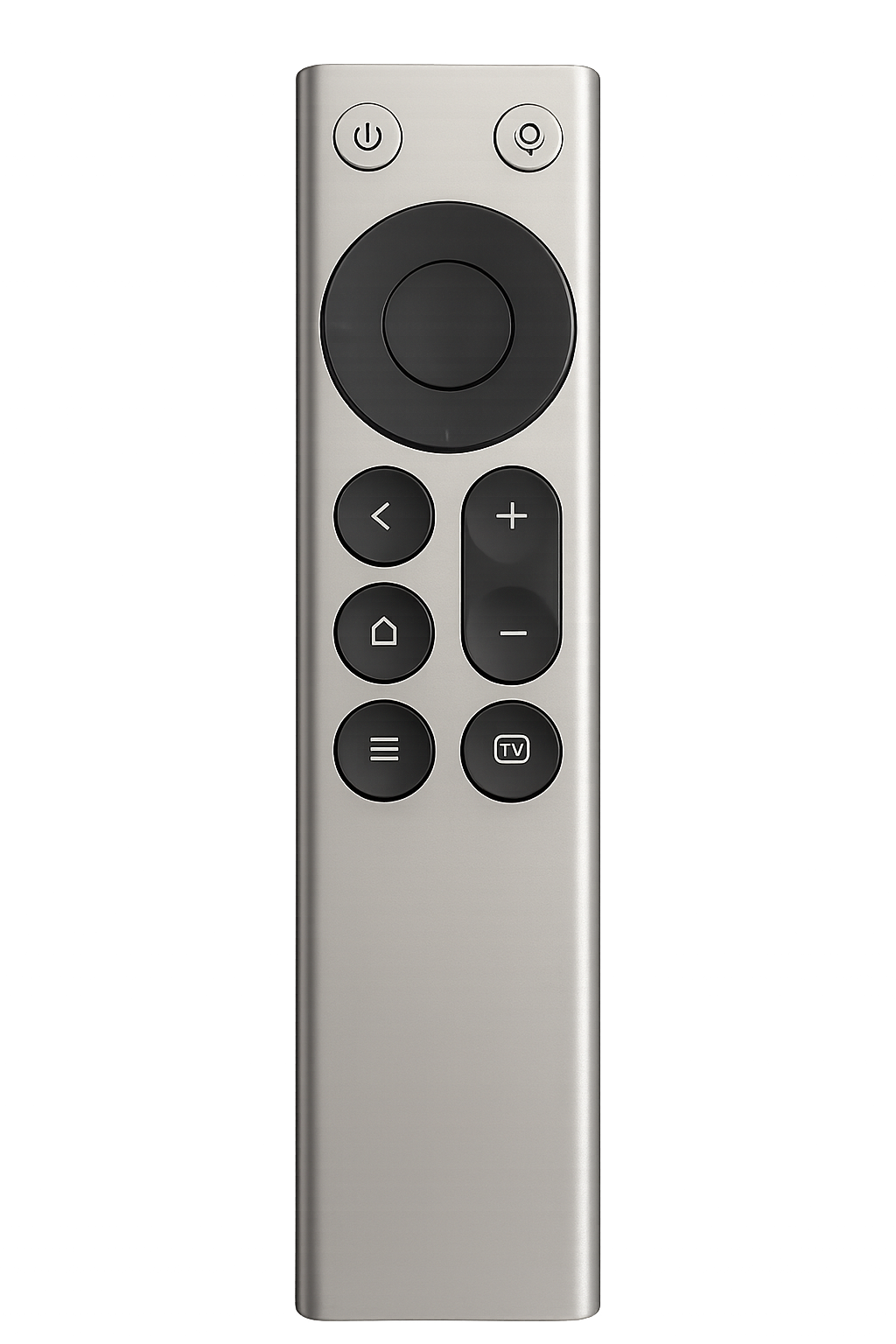
SayAll App connects a compatible remote's microphone and buttons to your Mac. It brings together common actions, app-specific button profiles, and words you choose to keep.
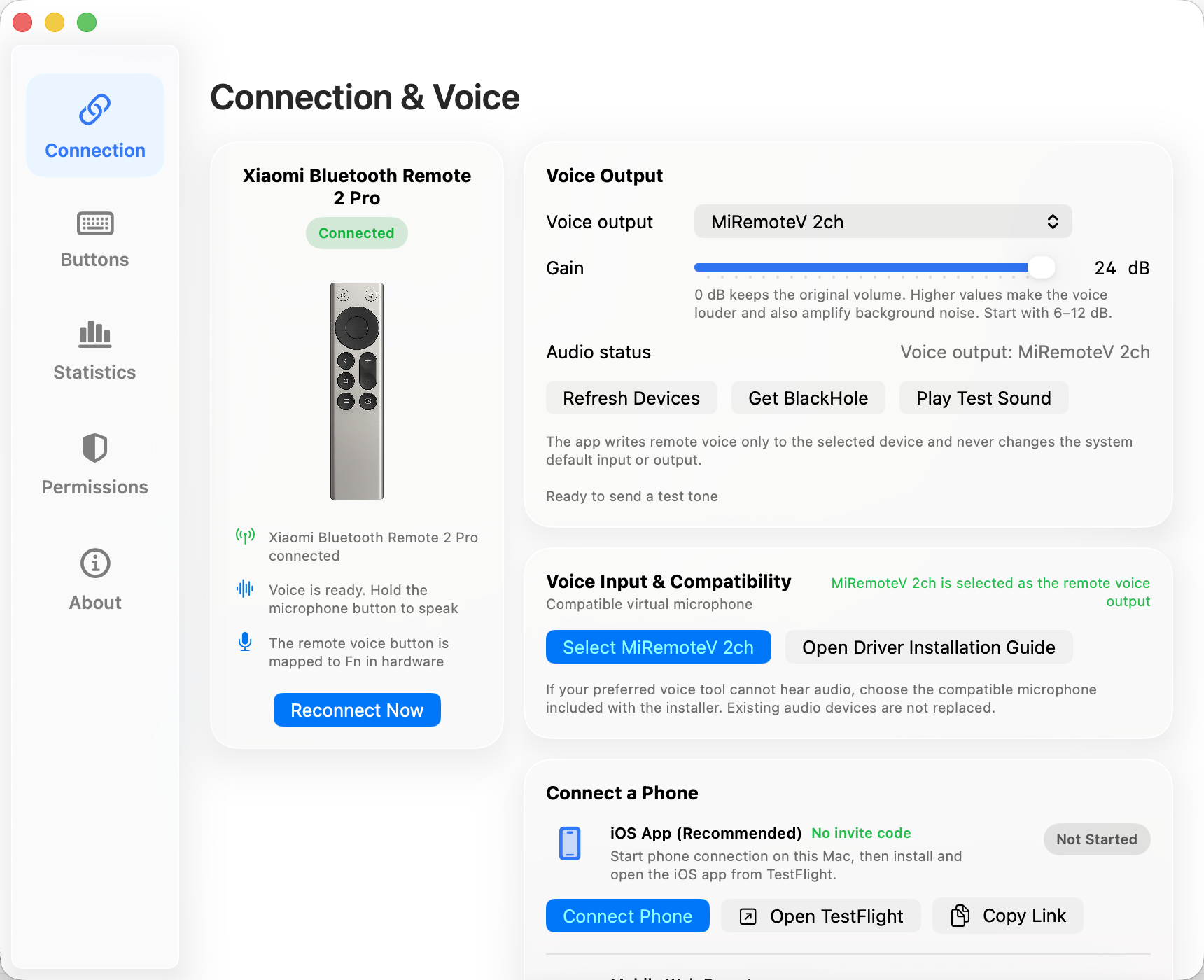
Hold to speak and release to stop. Enter text in the current app without interrupting a meeting or pausing your music.
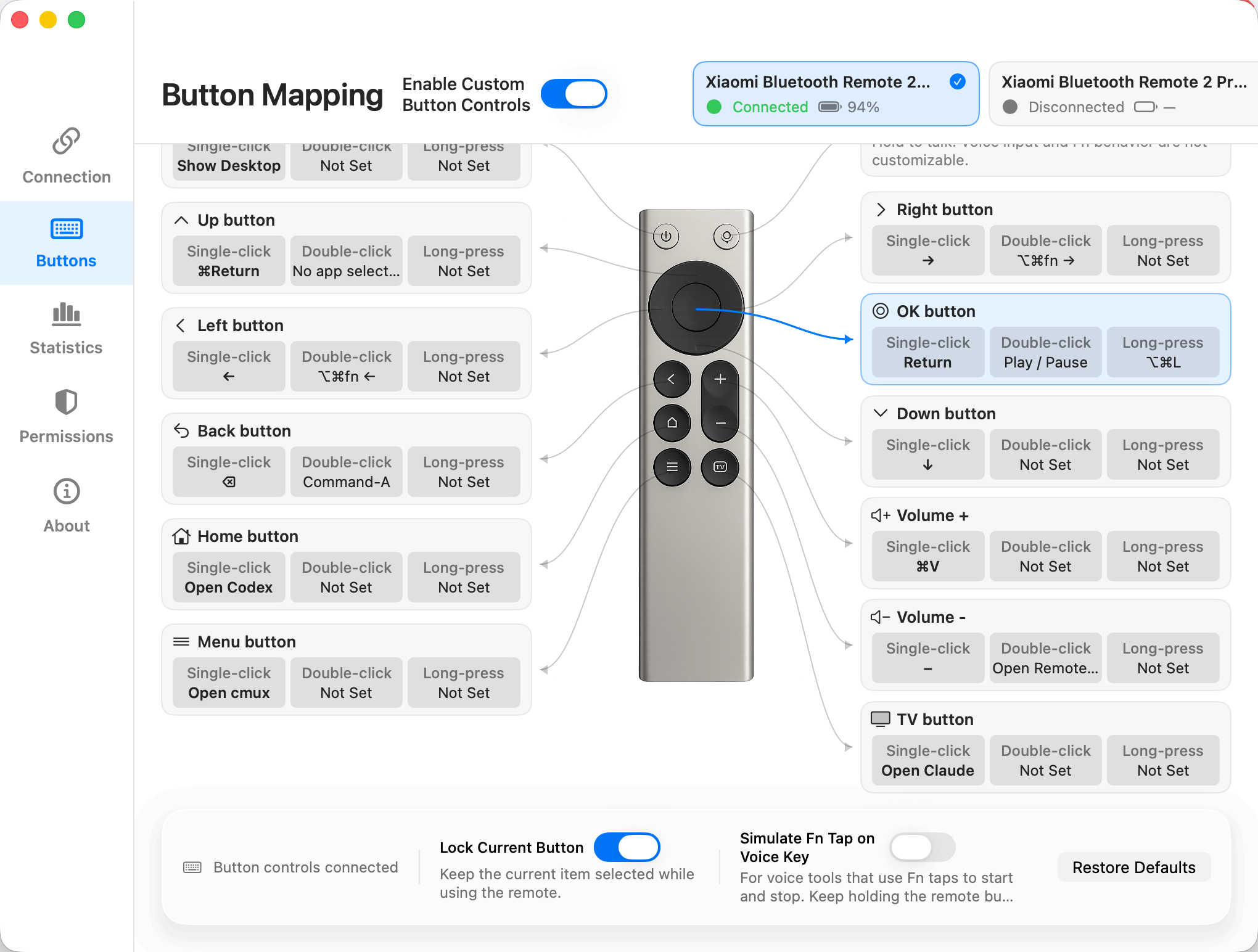
Combination Actions run several supported local steps from a click, double-click, or long press.
Save complete button profiles for different apps. Switch manually or match the active app.
When enabled, Revisit keeps final text by app and date on this Mac. Grant selected AI clients revocable, read-only MCP access.
Creator experience
See how a familiar Bluetooth remote helps you express ideas, control your Mac, and work with AI.
Video by 可乐不甜的跑焦日记 · In Chinese
The tutorial page has more real-world creator videos. Watch on the page or open the original platform.
View the tutorial and more videos ↗The real app
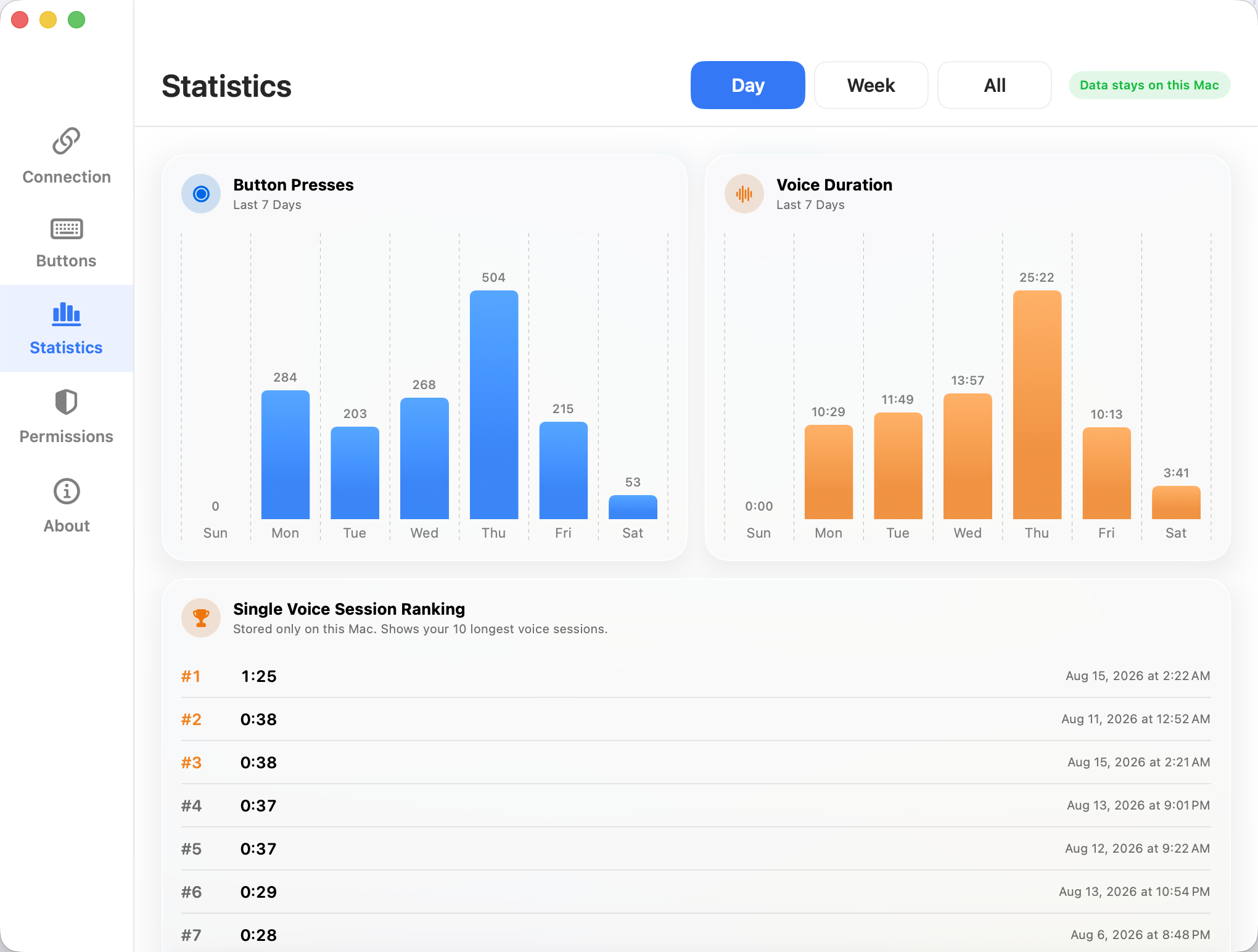
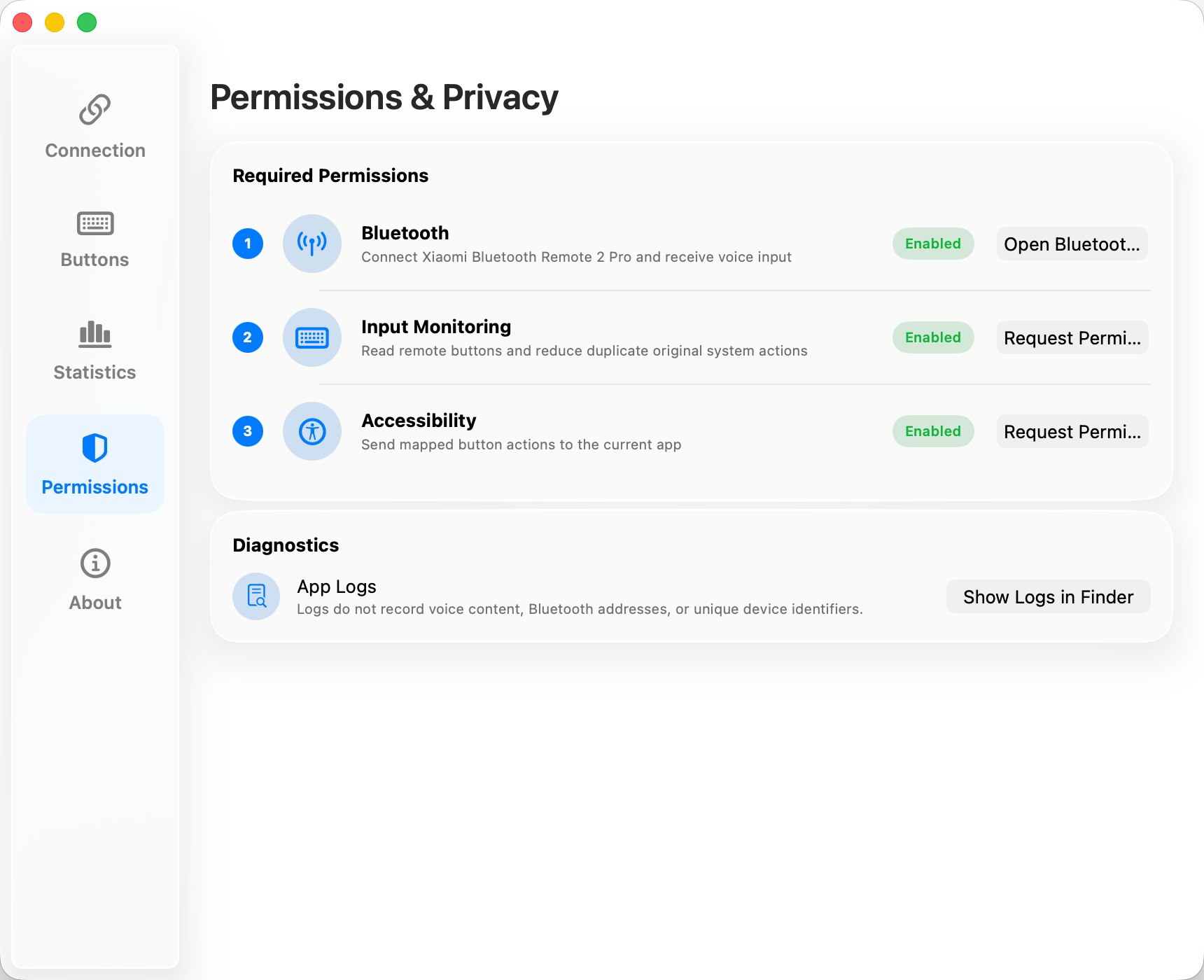
Connection, voice, button mappings, statistics, permissions, and privacy stay visible in one settings window.
Your iPhone can step in
The iOS 17+ companion finds a Mac on the same local network. It can replace the controller and send microphone audio.
It does not turn speech into text. You still need a separate voice typing app. A physical remote is better for everyday tactile control.
Download on the App Store ↗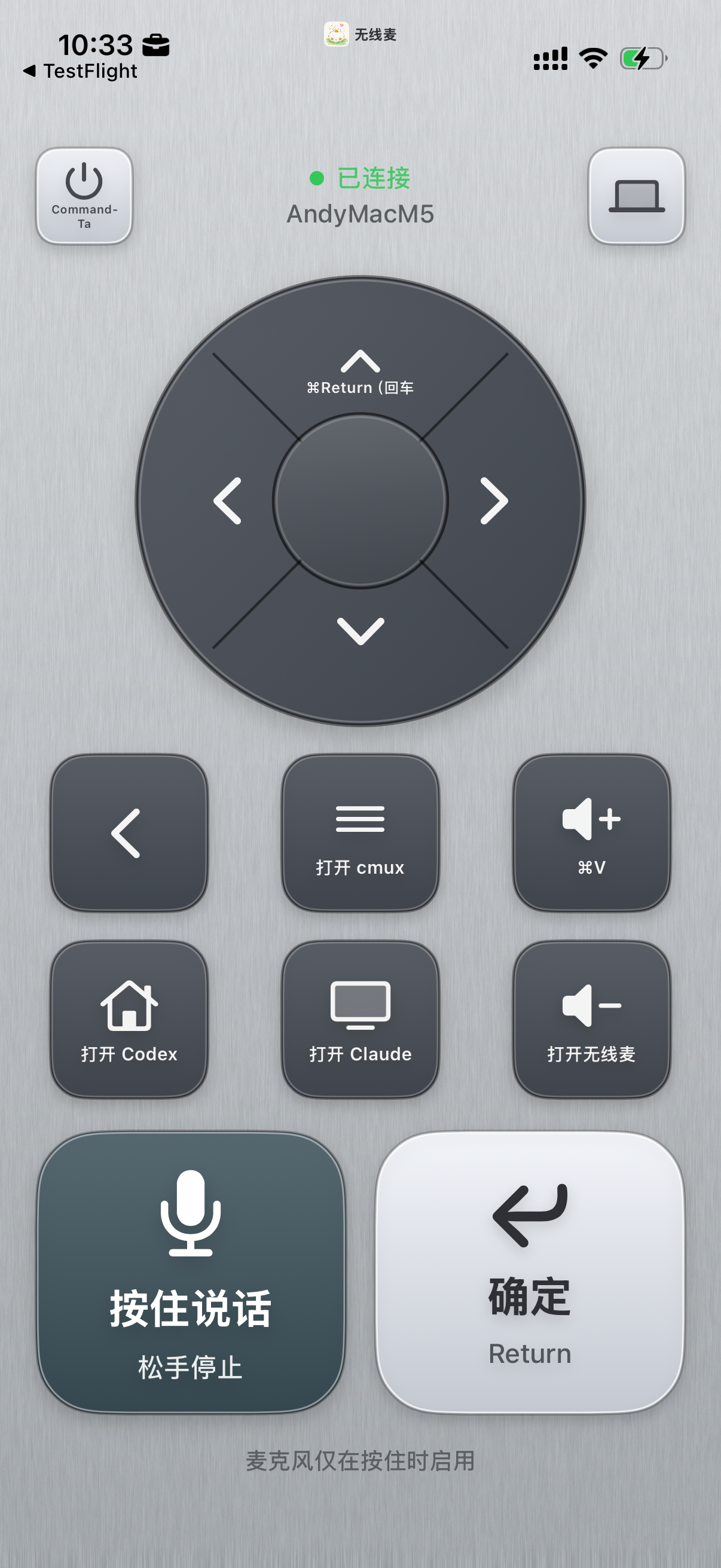
Before you start
Mac production releases are signed and notarized by Apple. Follow the guided setup after installation.
Privacy is your choice
SayAll does not save audio. Revisit and Local Agent Access are off by default.
Frequently asked questions
Xiaomi Bluetooth Remote 2 and 2 Pro are officially supported. The iPhone or web controller can serve as a temporary alternative.
Yes. Choose the Intel build in the sayall.app download menu. It requires macOS 13 or later.
Yes. SayAll sends audio and button events. A separate voice app turns speech into text. Language support varies by vendor.
Only after you enable it, Revisit keeps final text entered through SayAll. It does not save audio or read complete conversations.
Buy once for long-term access to Plus features in the current major version, with no automatic renewal. When you buy Plus, it covers a SayAll major version, for example SayAll 2. SayAll 3 is a new major version. You get minor updates within the same major version. For example, SayAll 2.1 and 2.2 both belong to SayAll 2. Buy each new major version separately. You can keep using the major version you bought without upgrading. Upgrade offers and prices follow the sales page at that time.
Only a preview is available. The Windows stable release has not launched yet.
The app, driver, and related code use GPL-3.0-only. Website source, design, copy, screenshots, and icons are proprietary, not covered by the GPL.
Social & feedback
Follow our social accounts for updates and product discussions.
 Douyin · GetSayAllSave this image, then scan it in Douyin
Ready?